BUSINESS HUB

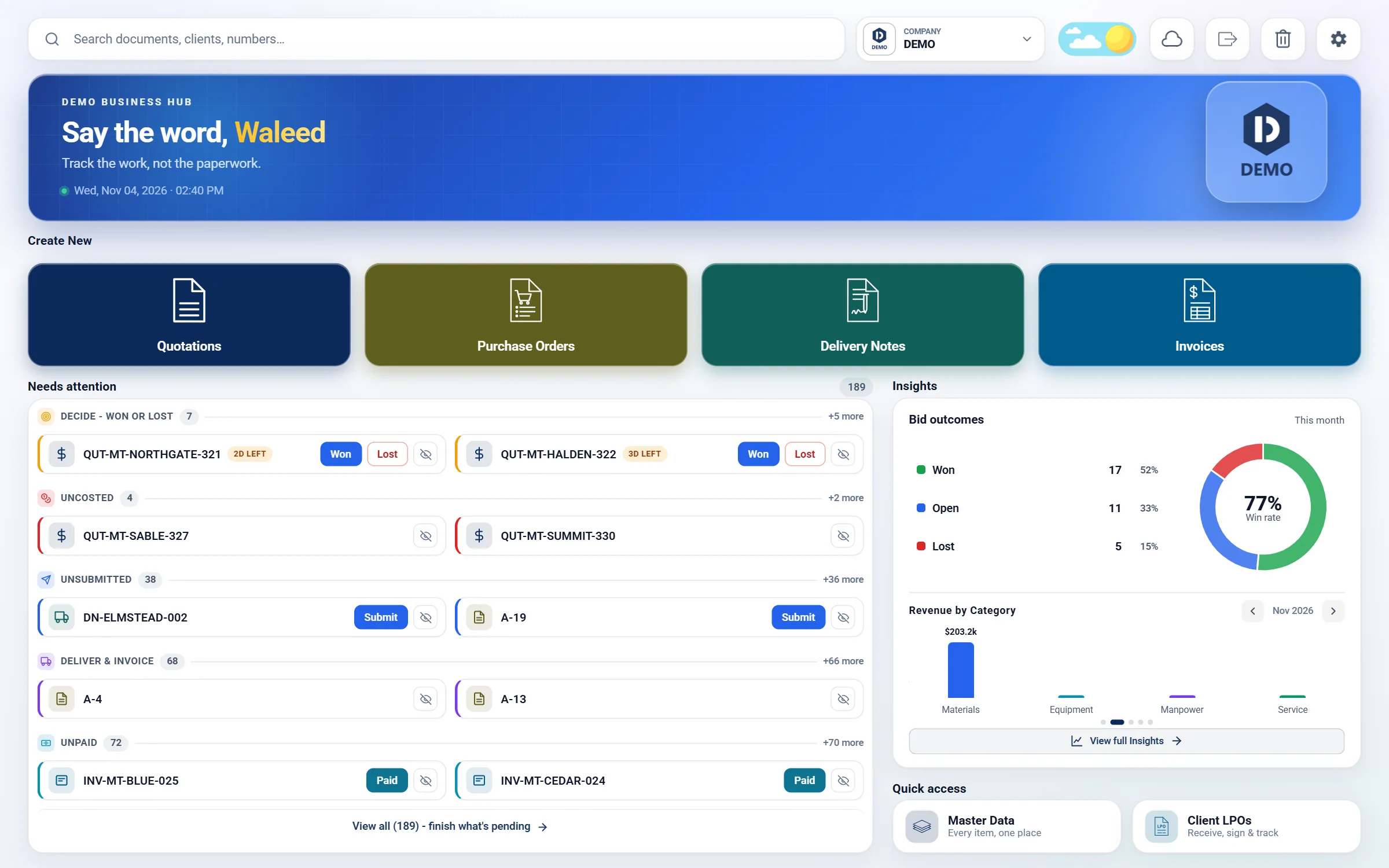
The order-to-invoice system I designed and built for my office. It links every quotation, purchase order, delivery note and invoice, and runs for the whole team on one server.

Dashboard

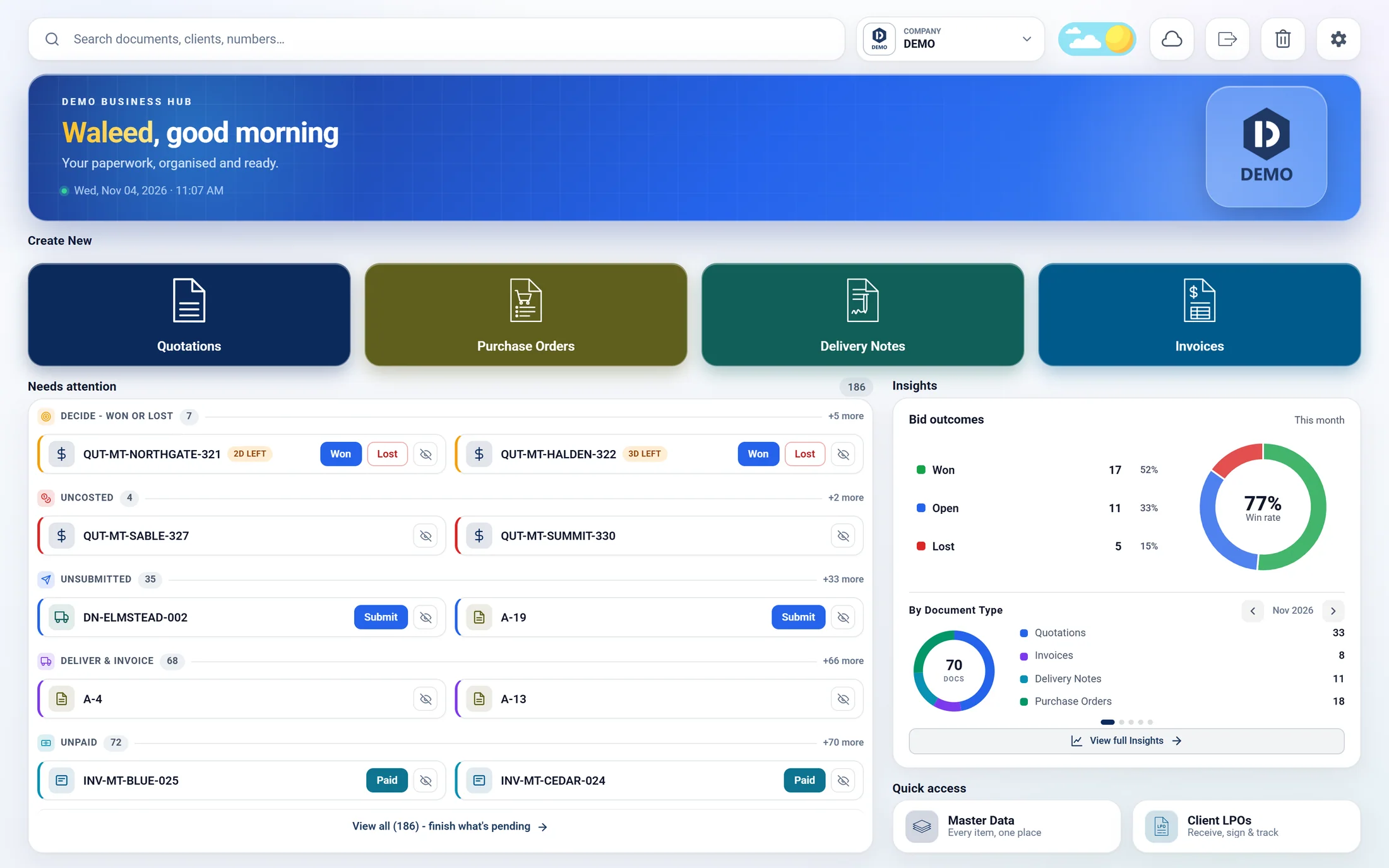
This window is live. Click any part of it to jump to that part of the system below, or switch it to dark.

Business Hub
Sample data

Documents

Four editors that work the same way. These are the features that matter most in each one.

Order to paid

One purchase order, followed from the Arabic order to a paid invoice. Recorded in the app, with waiting time cut.

Sample data

    Attachments

    Sample data

    Supporting files, such as timesheets and gate passes, sit with the client-signed copy in one window on the invoice.

    Paid and signed are separate states. An export combines only the files you tick, in the order shown, and the originals stay unchanged.

    Master Data

    The records behind every document.

    Sample data

    Materials

    One record per item: name, description and unit in English and Arabic, with price and cost. A purchase order's Arabic lines find their English side here.

    The review screen flags items stored twice, items that can't be told apart, and dates typed into descriptions. Nothing changes until someone confirms it.
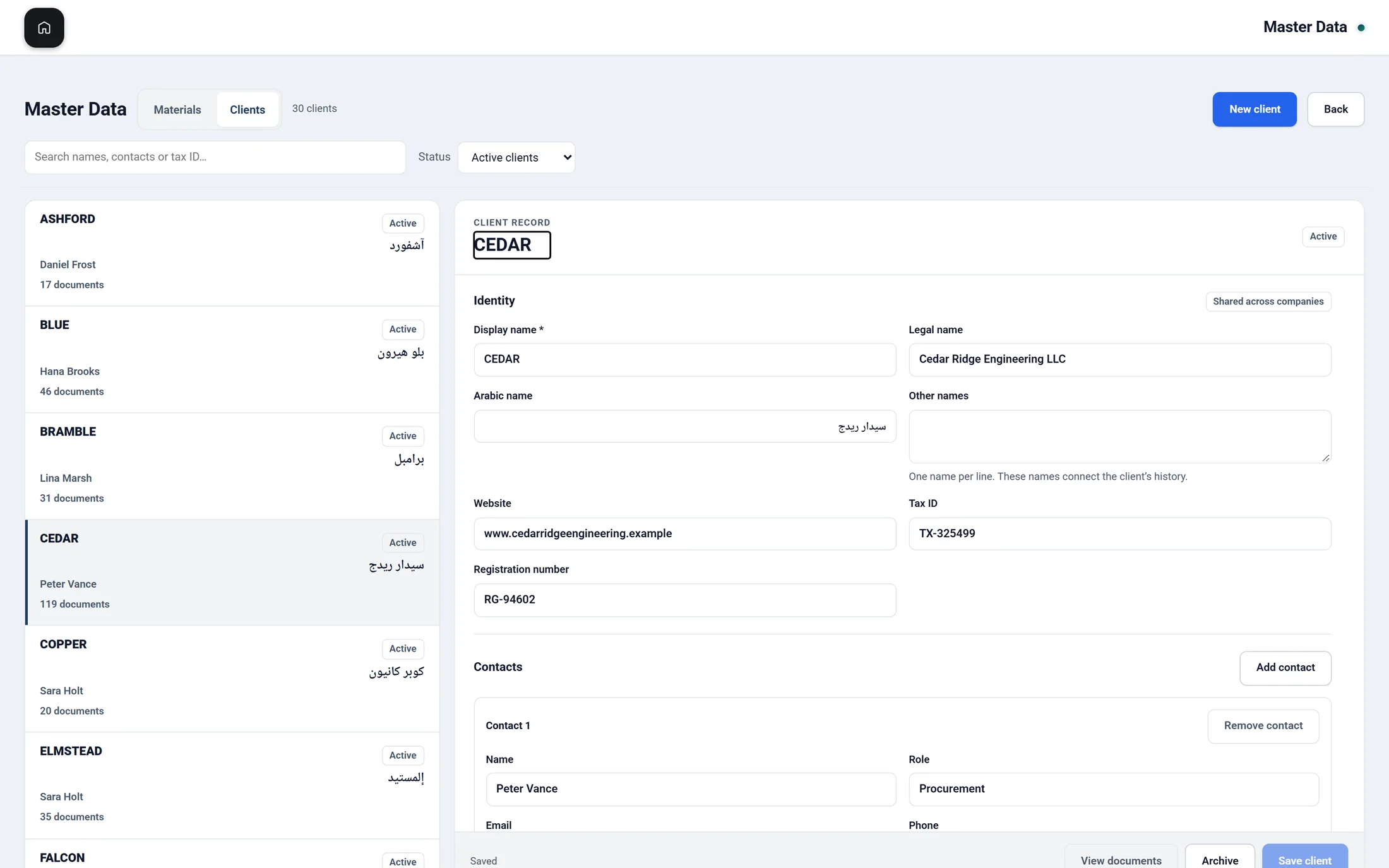
    Client record screen with sample data
    Sample data

    Clients

    One record per client, shared across companies: legal and Arabic names, tax and registration numbers, contacts, payment terms and the default receiving account.

    Picking a client on a new document fills in the address and payment details from this record.

    Insights

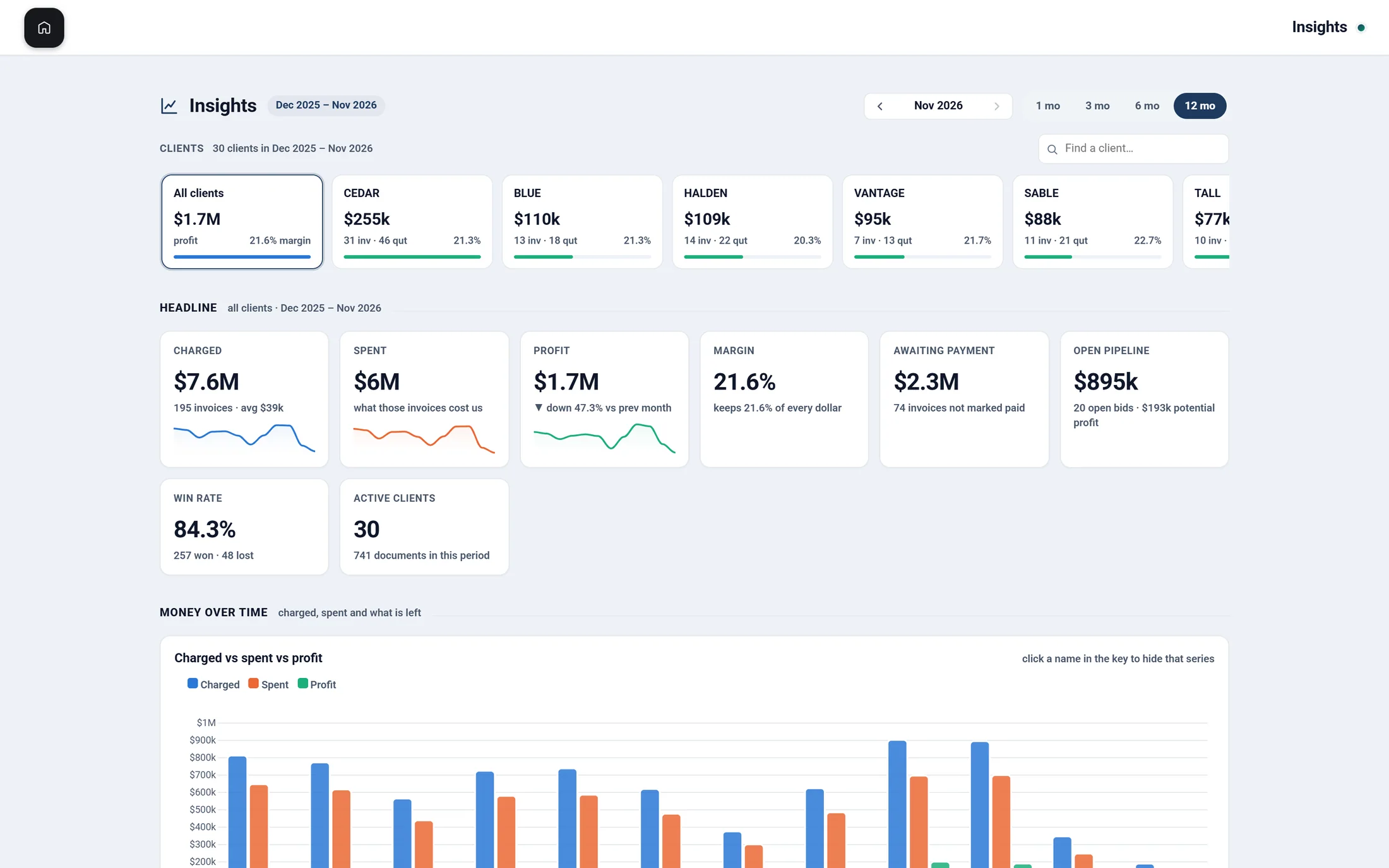
    A year of work, by client and by month: charged, spent, profit, margin, money awaiting payment and win rate.

    Keep scrolling. The charts are the real ones, drawn from the sample data.

    Sample data

    A year of work, by client and by month: charged, spent, profit, margin, money awaiting payment and win rate.

    Insights page with sample data

    Server

    Several people work on one server at the same time, each in their own session. Pick a role to see what that person gets.

    Dashboard as seen by this role, sample data
    Sample data

    These are each role's starting switches. Any switch can be changed per person, and the server refuses what the switches don't allow, whatever the screen shows.

    Control RoomWho is working, on which computer, and what they are doing.
    Activity logWhat each person did, and when.
    Refused actionsA refusal is recorded with who, where and why.
    Recycle BinDeleted documents can be restored. Permanent deletion needs its own permission.

    Animated icons by Lordicon.com